 By
By 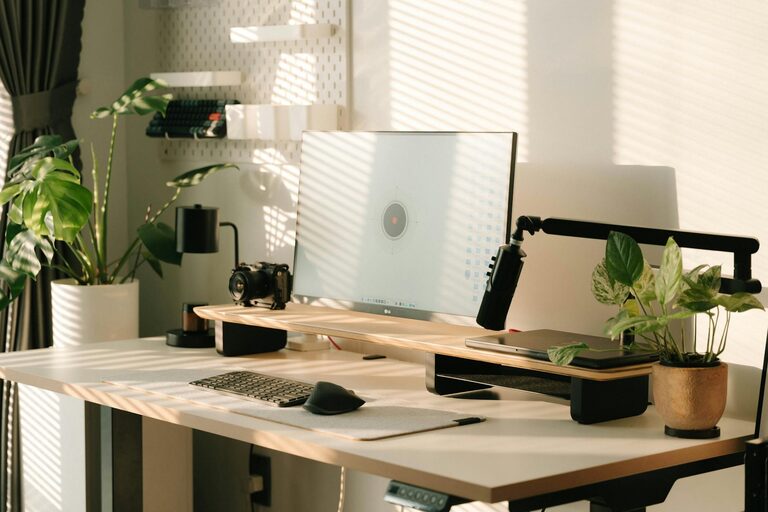
Working from home has become a common part of many people’s lives. To stay focused and motivated, it’s important to have a workspace that feels both cozy and productive. Whether you have a dedicated room or just a small corner, with a few thoughtful touches you can create a comfortable environment that encourages efficiency and creativity. Here are some helpful tips to guide you in designing your ideal home workspace.
Choose the Right Location
Selecting the best spot for your workspace is the foundation of a comfortable and productive setup.
– Natural Light: Try to position your desk near a window to take advantage of natural light. This helps reduce eye strain and can lift your mood.
– Quiet Area: Pick a quiet corner where you won’t be disturbed by household noise or foot traffic.
– Space Availability: Ensure there’s enough room for your desk, chair, and essential tools without feeling cramped.
Invest in a Comfortable Chair and Desk
Comfort plays a big role in how well you focus during work hours.
– Ergonomic Chair: Choose a chair that supports good posture, with adjustable height and lumbar support.
– Appropriate Desk Height: Your desk should allow your arms to rest comfortably at a 90-degree angle while typing.
– Consider Stand Options: A sit-stand desk or converter can provide flexibility, letting you switch positions throughout the day.
Organize Your Workspace Efficiently
A clutter-free area reduces distractions and helps you stay organized.
– Use Storage Solutions: Drawers, shelves, or desk organizers can keep papers, supplies, and gadgets in order.
– Limit Items on Desk Surface: Keep only daily essentials on your desk to avoid unnecessary clutter.
– Cable Management: Use clips or ties to organize cords and keep them neat and out of sight.
Add Personal and Cozy Touches
Making your workspace feel welcoming can improve your mood and productivity.
– Plants: Adding greenery can brighten your space and improve air quality.
– Soft Lighting: Use desk lamps or string lights with warm tones to create a relaxing ambiance.
– Comfort Items: Keep a cozy blanket or cushion nearby to make your seat more comfortable.
– Inspirational Decor: Simple artwork or motivational quotes can provide encouragement without overwhelming your space.
Optimize Technology and Tools
The right tools make work smoother and reduce frustration.
– Reliable Internet Connection: Ensure your Wi-Fi is strong in your workspace area.
– Quality Monitor and Keyboard: Consider investing in a larger screen and an ergonomic keyboard for comfort.
– Headphones or Speakers: Noise-cancelling headphones can help block distractions, especially in busier environments.
Establish Boundaries and Routine
A productive workspace goes beyond physical setup — it’s also about mindset and routine.
– Set Work Hours: Define clear start and end times to maintain work-life balance.
– Use a Dedicated Work Area: Try to limit work activities to your designated space to mentally separate work from leisure.
– Take Breaks: Schedule regular short breaks to stretch and refresh your mind.
Keep It Clean and Maintain It
Regular maintenance helps keep your workspace inviting and efficient.
– Daily Tidy-Up: Spend a few minutes at the end of each day clearing your desk.
– Weekly Cleaning: Dust surfaces and vacuum or mop floors to maintain a pleasant environment.
– Review and Adjust: Periodically assess your setup and make changes to improve comfort or organization as your needs evolve.
—
Creating a cozy and productive home workspace doesn’t require a big budget or a lot of space. With thoughtful choices about location, furniture, organization, and ambiance, you can design an area that supports your work and well-being. Remember, the best workspace is one where you feel comfortable, focused, and inspired to do your best.